





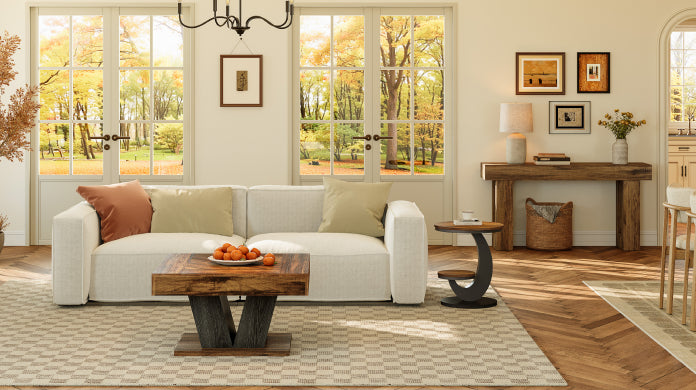
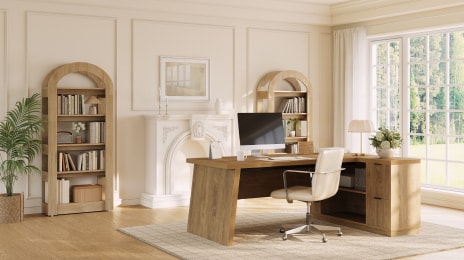




Running two laptops on one desk gets crowded quickly. Once you add a monitor, keyboard, mouse, chargers, and a few daily essentials, surface space starts to matter. In most cases, 48"–60" is a practical starting point for a two-laptop setup, while larger workstations are a better fit if you also need room for a monitor, storage, or a more open layout.
Table Of Contents
- What to Look for in a Desk for Two Laptops?
- 1. Tribesigns 78" L-Shaped Executive Desk
- 2. Tribesigns 70.8" Conference Table
- 3. Modern Simple Office Desk Computer
- 4. Tribesigns 63" Wood Executive Desk
- 5. 85.8" L-Shaped Executive Desk with File Drawers
- 6. Tribesigns 55" Executive Desk
- 7. 53" Reversible L-Shaped Computer Desk with 3 Drawers & Shelves
- 8. 55" Reversible L-Shaped Desk With Hutch (Wireless Charging)
- 9. L-Shaped Computer Desk with Mobile File Cabinet
- 10. Tribesigns 47" Computer Desk with 5 Drawers
- How Much Desk Space Do You Need for Two Laptops?
- Straight Desk vs. L-Shaped Desk for a Dual Laptop Setup
- Final Thoughts
- FAQ
What to Look for in a Desk for Two Laptops?
For a two-laptop setup, the best desk is usually the one that gives you enough usable space without making the room feel overloaded. Focus on size first, then storage, cable control, and shape.
Size
|
Setup Type |
Recommended Width |
Recommended Depth |
|
Compact |
48"–55" |
23.6"–24" |
|
Everyday use |
55"–63" |
24"–27" |
|
Two laptops + monitor |
63"–70"+ |
27"–30" |
A smaller desk can work for two laptops, but it leaves less room to move. If one laptop stays open while the other connects to a monitor, a wider desktop usually feels far more practical.
Storage and Shelving
Two-laptop setups tend to collect clutter fast. Chargers, cables, docks, notebooks, and office supplies can take over the surface before the day even starts. Drawers, side shelves, or a hutch help keep the main workspace open and easier to manage.
Cable Management and Power Access
With more devices comes more cable mess. A desk with built-in outlets, cable holes, or open storage can make the setup look cleaner and work better. These details are small, but they make a noticeable difference in daily use.
Desk Shape
The best shape depends on how you work and how much space you have.
|
Desk Shape |
Best For |
|
Straight desk |
Clean, simple layouts |
|
L-shaped desk |
Separate work zones |
|
Desk with hutch |
Extra vertical storage |
|
Standing desk |
More flexibility throughout the day |
A straight desk works well for a simple side-by-side setup. An L-shaped desk gives you more freedom to split laptops, monitor, and accessories into separate zones. A hutch adds storage without taking more floor space, while a standing desk suits users who want a more flexible home office setup.
1. Tribesigns 78" L-Shaped Executive Desk
Best for spacious corner setups
If you want a desk that gives a dual-laptop setup real breathing room, this is a strong first pick. The 78-inch L-shaped design offers enough space for two laptops, a monitor, and everyday essentials, while making smart use of a corner layout.
With its 78" wide by 55" deep footprint, this desk feels closer to a full workstation than a standard computer desk. The shape naturally creates separate areas for devices, paperwork, and accessories, while the four shelves and two drawers add useful storage for chargers, notebooks, and office items.
Size: 78"W × 55"D × 29.5"H
Best for: larger home offices, corner layouts, and users who want one desk for laptops, monitor, and everyday office storage.

2. Tribesigns 70.8" Conference Table
Best for an extra-wide straight workspace
The 70.8-inch by 31.5-inch rectangular top gives this desk a more open, easy-to-use feel than a standard straight desk. It has enough room for two laptops, a monitor, and daily essentials without forcing everything into a tight layout, and the added depth makes multi-device use noticeably more comfortable.
What sets it apart is the uninterrupted surface. Without drawers or upper shelving breaking up the design, the desk feels cleaner, more flexible, and easier to style. It is a strong fit for users who prefer a simpler workspace, want more freedom in how they arrange devices, or need a desk that can move easily between solo work and occasional shared use.
Size: 70.8"W x 31.5"D× 29.5"H
Best for: users who want a large straight desk, a cleaner visual look, or more open space for two laptops and a monitor.

3. Modern Simple Office Desk Computer
Best for a simple setup with deeper workspace
Its clean, modern frame keeps the look minimal, while the 31.5-inch-deep desktop gives the setup more breathing room than many standard home office desks. For two laptops, that extra depth can make a noticeable difference, especially when one device is paired with a keyboard, mouse, or monitor.
This pick stands out for its sturdy build. Tribesigns notes a 0.98-inch thick laminated MDF top, a heavy-duty powder-coated steel frame, adjustable leg pads, and a 900 lb weight capacity, so it is better suited to users who want a straightforward desk that still feels solid and dependable in everyday use. The open underside also leaves generous legroom, which helps the desk feel less cramped than storage-heavy designs.
Size: 70.8"W x 31.5"D× 29.5"H
Best for: users who want a simple modern desk, more front-to-back workspace, and a strong frame for a dual-laptop setup.

4. Tribesigns 63" Wood Executive Desk
Best for a polished everyday setup
This desk has a more refined presence than the average home office piece. At 63 inches wide, it offers enough room for a dual-laptop setup without feeling oversized, while the wood finish adds warmth and character that a standard office desk often lacks. It is especially well suited to home offices where function matters, but the room still needs to feel considered and visually cohesive.
Its proportions are part of the appeal. The 31.1-inch depth gives the surface a more generous, comfortable feel, with enough space for two laptops, a monitor, and everyday essentials without crowding the layout. Details like the 1.57-inch thick tabletop and 300 lb weight capacity also give it a more substantial, grounded look.
Size: 63"W x 31.1"D x 29.52"H.
Best for: users who want a wider straight desk with a warmer wood finish and a more polished home office feel.

5. 85.8" L-Shaped Executive Desk with File Drawers
Best for a fully organized home office
This desk is especially well suited to a two-laptop setup with a monitor because it gives each part of the workspace more breathing room. The 85.8-inch L-shaped layout makes it easier to keep laptops, screen, and everyday accessories in separate zones, so the desk feels organized rather than overloaded.
What makes it even more practical is the amount of built-in storage. With file drawers, utility drawers, open shelving, enclosed storage, and a CPU compartment, it helps clear cables, paperwork, and office essentials off the main surface—something that matters even more in a multi-device setup. The result is a workstation that feels spacious, structured, and better equipped for daily use than a standard desk.
Size: 85.8"W x 54.7"D x 29.5"H
Best for: users who want a large corner desk with file storage, enclosed organization, and enough room for two laptops, a monitor, and office essentials.

6. Tribesigns 55" Executive Desk
Best for a clean look with a statement base
This desk keeps the layout simple, but it does not feel plain. The 55-inch by 27.5-inch surface gives a dual-laptop setup enough room for everyday work, while the mid-century-inspired wood finish brings in a warmer, more styled look than a standard office desk.
What makes this one stand out is the double trapezoid base. It gives the desk a more architectural feel, adds visual interest underneath, and helps the whole piece look more elevated than a typical straight desk. If you want a simple workstation that still has a strong design point, this is an easy choice.
Size: 55"W x 27.5"D x 29.5"H
Best for: users who want a straight desk with a cleaner profile, a warmer modern style, and a more eye-catching base design.

7. 53" Reversible L-Shaped Computer Desk with 3 Drawers & Shelves
Best for storage
This is a smart pick for anyone who wants the function of an L-shaped desk without giving up too much floor space. The 53-inch reversible design is easier to place in smaller home offices, while still giving a two-laptop setup more separation than a standard straight desk. One side can handle your active work zone, while the other keeps a monitor, paperwork, or daily essentials within reach.
What sets it apart is how much storage it builds into a relatively compact footprint. With three drawers and open shelves, it does a better job of controlling clutter than simpler corner desks. That makes it especially useful for users who need space for chargers, notebooks, and office supplies, but do not want a larger executive-style desk taking over the room.
Size: 39.37"D x 53.15"W x 29.53"H
Best for: smaller home offices, corner setups, and users who want storage without moving up to a much larger workstation.

8. 55" Reversible L-Shaped Desk With Hutch (Wireless Charging)
Best L-shaped pick
This desk works well for a dual-laptop setup with a monitor because the reversible L-shaped design naturally creates clearer work zones. One side can support your main screen and active devices, while the built-in wireless charging station adds a layer of everyday convenience that feels especially useful in a tech-heavy workspace.
Compared with heavier executive desks, this one has a more open, lighter presence. The five open shelves add vertical storage without closing in the design, making it easier to keep accessories nearby while leaving the main surface less cluttered. For users who want an L-shaped desk with practical features but a less bulky look, it strikes a strong balance.
Size: 55"L x 37.4"D x 59"H.
Best for: users who want an L-shaped desk with open storage, built-in charging, and a more flexible everyday setup.

9. L-Shaped Computer Desk with Mobile File Cabinet
Best for flexible storage
This desk stands out for one reason: the storage is not fixed in place. Alongside the L-shaped desktop, it comes with a mobile file cabinet that adds storage without making the layout feel locked in. That makes it a smart choice for dual-laptop users who want more freedom in how the workspace is arranged. Tribesigns says the desk is available in 55-inch and 63-inch sizes, and describes the main surface as spacious enough for multiple monitors.
The cabinet includes two drawers for letter-size files and can also work as a printer stand or office storage. Compared with bulkier executive desks, this design feels a little more adaptable, especially for users who want an L-shaped setup with storage that can move with the room.
Size: 55" or 63" desk options, with a 43" file cabinet shown on the product page.
Best for: users who want an L-shaped desk with file storage, but prefer a more flexible layout.

10. Tribesigns 47" Computer Desk with 5 Drawers
Best for small spaces that need extra storage
This is the most compact option on the list, but it makes up for the smaller footprint with built-in storage. The 47-inch desktop works best for lighter two-laptop setups or for users who mainly keep one laptop open while using the second as a secondary device. In a smaller home office, bedroom, or apartment workspace, that balance can make a lot of sense.
The standout feature here is the five-drawer design. Instead of relying on extra shelves or separate storage pieces, it keeps office supplies, chargers, documents, and everyday clutter tucked away in one place. That gives the desk a neater, more self-contained feel, especially for users who want a workspace that stays organized without taking over the room.
Size: 47.24"D x 17.71"W x 29.52"H
Best for: small home offices, bedroom workspaces, and users who need more drawer storage in a compact setup.

How Much Desk Space Do You Need for Two Laptops?
The right amount of desk space depends on how you use the setup. If you only work with two laptops and keep the surface fairly clean, a smaller desk can be enough. But once you add a monitor, keyboard, mouse, chargers, notebooks, or storage, the setup needs more room to stay comfortable.
For a compact arrangement, 48 to 55 inches of width can work, especially in smaller rooms. For a more comfortable everyday setup, 55 to 63 inches usually gives you better balance between usable space and footprint. If you plan to use two laptops plus a monitor, or simply want more room to spread out, 63 inches and up is often the better choice.
Depth matters just as much. A desk that looks wide enough can still feel cramped if it is too shallow. For most dual-laptop setups, 24 inches is a practical minimum, while 27 to 30 inches tends to feel more comfortable for screens, accessories, and daily movement.
In simple terms, if your setup is device-heavy, go wider and deeper than you think you need. Extra space is what keeps a two-laptop desk from feeling crowded too quickly.
Straight Desk vs. L-Shaped Desk for a Dual Laptop Setup
Both desk styles can work well for a dual-laptop setup, but they suit different ways of working.
A straight desk is the cleaner, simpler option. It works well if you want both laptops in one line, prefer a more open look, or need a desk that fits easily against one wall. It is often the better choice for smaller rooms or for users who want a setup that feels straightforward and easy to style.
An L-shaped desk gives you more separation. It is useful when you want one zone for active computer work and another for a monitor, paperwork, or accessories. It also makes better use of corner space, which can be a big advantage in a home office.
The decision usually comes down to layout. If you want a clean, minimal setup, a straight desk is often enough. If you need more surface area, more defined work zones, or more flexibility in how the setup is arranged, an L-shaped desk is usually the stronger choice.
|
Desk Type |
Best For |
Main Advantage |
|
Straight Desk |
Clean, simple setups |
Easier to place and style |
|
L-Shaped Desk |
Multi-device workstations |
Better zoning and corner use |
Final Thoughts
In general, it makes sense to choose size first, then look at storage, desk shape, and everyday convenience features. A well-planned setup will always feel better to use than one that is simply made to fit.
The Tribesigns desks in this guide cover a wide range of needs, from compact storage-friendly designs to larger executive and L-shaped workstations. Whether you prefer a clean straight desk or a more spacious corner layout, the right choice is the one that supports your devices, your routine, and the way you work every day.
FAQ
What Size Desk Do I Need For Two Laptops?
For most setups, a desk between 55 and 63 inches wide works well. If you also use a monitor, keyboard, and other accessories, 63 inches or more usually feels more comfortable.
Can A 55-Inch Desk Fit Two Laptops And A Monitor?
Yes, it can, but the setup may feel tight. A 55-inch desk works best for a cleaner layout with minimal extras.
Is An L-Shaped Desk Better For A Dual Laptop Setup?
Yes, if you want more surface area and better separation between devices. An L-shaped desk makes it easier to create different work zones.
Are Desks With Shelves Better For Home Office Organization?
Yes, especially if you have chargers, cables, office supplies, or decor to store. Shelves help keep the main desktop clear and more organized.