









Quick answer
An L-shaped gaming desk works by turning an unused room corner into a second work surface, separating the main play zone (monitor, keyboard, mouse) from everything else (PC tower, headset, streaming gear). Before buying one, measure for roughly 60" x 60" of corner space, choose a weight capacity of at least 300 lbs if more monitors are coming later, pick a left- or right-hand orientation based on outlet placement, and plan for cable management up front.
Table of Content
The Cramped Gaming Corner Problem
It's one of the most familiar scenes in gaming setups: a monitor propped on a stack of old textbooks, a mouse pad hanging half off the edge of the desk, and a headset with nowhere to live except the floor. It works, technically. But every session starts with a little friction—nudging things back into place, untangling a cable, wishing for six more inches of room.
This is one of the most common turning points for gamers: the moment a setup outgrows the desk, and it becomes clear the problem was never the gear—it was the flat rectangle everything got crammed onto.
That's usually when L-shaped gaming desks start showing up in the search history. For most people who make the switch, it turns out to be the fix they didn't realize they needed.
Why an L-Shaped Desk Solves the Space Problem
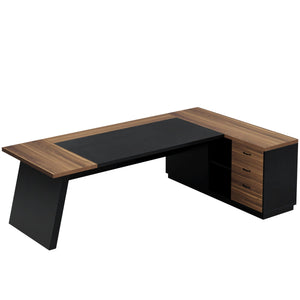
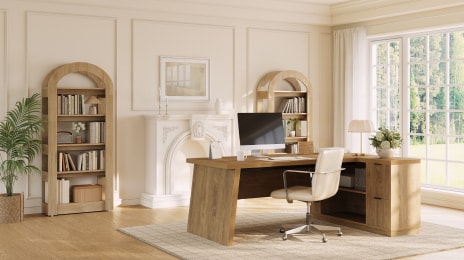
Most rooms have a corner sitting empty—maybe holding a lamp, maybe just dead space. An L-shaped desk quietly claims that corner and turns it into something useful. Instead of choosing between "room for the monitor" and "room for everything else," both fit, split across two connected surfaces:
-
Main wing: monitor, keyboard, mouse—a clean, dedicated play zone with nothing crowding it
-
Return wing: PC tower, headset stand, controller charging dock, or a laptop for other work
-
Result: zones instead of a pile of gear sharing one flat surface
That separation sounds small, but it changes how a session feels. There's a real difference between reaching for the mouse with a clear runway and having to nudge a headset out of the way first. 
What to Check Before Buying an L-Shaped Gaming Desk
A few details are easy to get wrong—and they're the ones worth checking before falling for a listing photo.
-
Measure the Corner First
Eyeballing the space is a common first move and a common source of regret, especially when a desk ends up blocking a closet door. Most L-shaped desks need around 60 inches along each wall to sit comfortably, plus enough clearance behind the chair to actually push back and stand up. A tape measure solves this in five minutes. 
-
Buy for the Setup That's Coming, Not Just Today's
It's easy to choose a desk rated for exactly the current gear, only to add a second monitor or a capture card a few weeks later. For anyone expecting more screens or streaming equipment, a desk rated for a bit more weight — around 300 lbs — leaves real breathing room instead of cutting it close.
-
Pick an Orientation on Purpose
L-shaped desks come as left-return, right-return, or reversible, and this choice is annoyingly permanent once assembled. Outlet placement often makes the decision automatically—whichever side has power usually decides which way the desk should face. Checking outlets and door swing before ordering avoids a frustrating redo.
-
Plan for Cable Management Early
Two connected surfaces mean two sets of cords, and without a plan, they tend to turn into a small nest within a week. A desk with a built-in grommet or a rear cable channel is worth the extra cost—it means never digging through a tangle just to find a charger.
-
Budget Real Time for Assembly
Most L-shaped desks take about 1.5 to 3 hours to put together, and a second person to hold the panels steady while the frame gets aligned makes a genuine difference. Solo assembly on a weeknight is possible, but it tests patience by the second hour.
Is a Standing L-Shaped Desk Worth It for Gaming?
Height-adjustable L-shaped workstations are sometimes rejected as unnecessary—until someone tries standing for twenty minutes in the middle of a long session and discovers how much stiffness it eliminates.
For anyone considering this option, a three-motor frame is worth the extra cost over two motors: with a whole L-shaped surface loaded down with monitors and gear, three motors keep both sides rising uniformly rather than tilting or straining on one side. However, it's not essential. A robust fixed-height desk with adequate storage and thoughtful cable routing still addresses the core issue of insufficient organized space. 
The Overlooked Benefit: A Finished-Looking Room
The room just appears more deliberate, which is a subtler advantage that often surprises people. The corner is filled, the connections are mostly hidden, and everything has a home, as opposed to a solitary rectangle pressed up against one wall with cords pouring everywhere. People are more likely to want to sit down and play in a place that appears well-maintained.
FAQ
How much space does an L-shaped gaming desk need?
Most models need around 60" x 60" of corner space, plus extra room behind the chair for it to roll back comfortably.
What weight capacity should a gaming L-shaped desk have?
275–500 lbs is the typical range. Anyone running multiple monitors, a full tower, and streaming gear should aim for at least 300 lbs to avoid cutting it close.
Is a standing L-shaped desk better for gaming?
It's not required, but alternating between sitting and standing during long sessions can reduce stiffness. If choosing an electric model, a three-motor frame keeps a fully loaded surface more stable than a two-motor frame.
How long does an L-shaped desk take to assemble?
Typically 1.5 to 3 hours. Having a second person to help align the frame and both desktop panels speeds up the process.
Left-return or right-return—how do I choose?
Base it on outlet placement and door swing in the room. Whichever side has power access usually determines the more practical orientation.