












For some people, a manual desk is a smart, budget-friendly option that does exactly what they need. For others, an electric desk is worth the extra cost because it makes movement easier and more consistent. The key is not asking which desk is better in general. It is asking which one makes more sense for your routine.
Key Differences
A manual height-adjustable desk changes height with a hand crank or similar mechanical system, while an electric height-adjustable desk uses a motor and control panel. Both are designed to support sitting and standing, but the day-to-day experience is very different. Manual desks are usually simpler and more affordable, while electric desks are typically faster, easier to use, and better suited for frequent adjustments.
|
Feature |
Manual Height-Adjustable Desk |
Electric Height-Adjustable Desk |
|
Adjustment Method |
Raised and lowered by hand, usually with a crank |
Raised and lowered with a motor and button controls |
|
Speed |
Slower |
Faster |
|
Daily Effort |
Requires physical effort each time |
Requires little to no physical effort |
|
Memory Presets |
Usually not included |
Often included on many models |
|
Height Precision |
Can be less convenient to fine-tune |
Easier to adjust to an exact height |
|
Weight Capacity |
Often suitable for lighter to moderate setups, depending on the model |
Often better for moderate to heavier setups, depending on the model |
|
Noise |
Usually very quiet during adjustment |
May produce motor noise during adjustment |
|
Power Requirement |
Does not need electricity |
Requires access to a power outlet |
|
Maintenance / Repairability |
Simpler structure, fewer electronic parts |
More components, including motors and controls |
|
Best Use Case |
Budget setups, occasional height changes, simple home offices |
Frequent sit-stand use, shared desks, heavier setups, long work hours |
In simple terms, a manual desk works well when cost and simplicity matter most. An electric desk works better when convenience, speed, and frequent daily use matter more.

How Often Will You Actually Change Desk Height?
This is one of the most important questions in the entire buying process. A manual desk may look like the cheaper option, but the real decision often comes down to how often you will actually raise and lower it.
|
User Type |
How Often You Adjust |
Best Fit |
|
Rare Switchers |
0–1 time a day |
Manual |
|
Routine Switchers |
2–4 times a day |
Often Electric |
|
Frequent Switchers Or Shared Desk Users |
4+ times a day, or more than one user |
Electric |
A simple way to think about it is this: the more often you switch, the more important convenience becomes. At low usage, a manual desk can feel practical and cost-effective. At high usage, the lower upfront price can quickly be offset by the hassle of repeated manual adjustment.
That is why a manual desk often makes sense for occasional standing, while an electric desk usually makes more sense for long workdays, shared desks, or routines built around frequent movement.
When A Manual Desk Makes Sense?
A manual height-adjustable desk is a smart option when your main goal is to keep the price lower without giving up the ability to sit and stand. It is often a good match for a starter home office, a student setup, a small apartment, or a workspace built around a laptop and a few essentials.
It also makes sense for people who already know they will not change height very often. Some users prefer to set the desk once in the morning and leave it there for most of the day. In that case, the simplicity of a manual desk can feel like a benefit rather than a compromise.
Another advantage is that manual desks do not depend on power. That can help in rooms where outlet access is limited or where a lighter, less complex setup is more practical.
The tradeoff is that the desk is less convenient for frequent transitions. If your routine changes over time and you start wanting to sit and stand more often, a manual desk may begin to feel less appealing.

Which Desk Is Best For Your Workspace?
The right desk is not just about product specs. It also depends on your workspace, your equipment, and how you actually work during the day.
|
Workspace Type |
Best Choice |
Why |
|
Simple Home Office |
Manual |
A good fit for one person with a lighter setup and occasional height changes |
|
Student Room Or Small Apartment |
Manual |
Lower upfront cost and simple function make it practical for compact spaces |
|
Full-Time Remote Work Setup |
Electric |
Better for long hours, more frequent transitions, and a more comfortable daily routine |
|
Dual-Monitor Or Heavier Setup |
Electric |
Usually the better choice for stronger support and easier adjustment |
|
Shared Desk |
Electric |
Faster changes and memory presets make it easier for multiple users |
|
Workspace With Limited Outlet Access |
Manual |
Does not require power, which makes setup easier in some rooms |
How To Compare Desks Like A Smart Buyer?
Once you decide between manual and electric, the next step is comparing actual desks the right way. Many buyers focus too much on price and not enough on the features that affect comfort and long-term satisfaction.
Height Range
The first thing to check is whether the desk can comfortably support both sitting and standing. As a practical benchmark, OSHA notes that keyboard height should ideally adjust between 22 and 30 inches for seated work and 36 to 46.5 inches for standing work, with the keyboard positioned around elbow height. That makes height range one of the most important specs in the entire comparison.
A narrower range may still work for some users, but it gives the desk less flexibility over time.
Desktop Depth
Depth matters more than many buyers expect. OSHA recommends a desk surface deep enough to place a monitor at least 20 inches away from your eyes. That is one reason shallow desks tend to work better for laptops, while deeper desks are usually better for monitor-based setups.
This is also where product positioning becomes clearer. The current Tribesigns adjustable height standing desks collection leans toward compact mobile desks rather than large primary workstations. The models I reviewed are about 17.7 inches deep, which makes them more naturally suited to laptop work, flexible side-desk use, or small-space home offices than to a large dual-monitor setup.

Under-Desk Clearance
A desk also needs to feel comfortable underneath, not just on top. OSHA’s workstation guidance recommends at least 17.6 inches of knee clearance depth, 24 inches of foot clearance depth, and about 20.8 inches of width, while leg clearance under the desktop should generally fall between 20 and 28 inches.
For buyers, this means storage panels, drawers, or support bars should never be treated as a small detail. If the space under the desk is limited, long work sessions become less comfortable.
Weight Capacity
Weight capacity should always be published clearly. If a desk does not list a numeric load rating, it is harder to judge whether it can comfortably support a heavier setup with monitors, arms, speakers, and accessories.
For lighter, more flexible setups, that may not be a deal-breaker. But for a primary workstation, it is a spec worth checking before anything else.
Stability And Standards
Stability is not just about how a desk looks in product photos. It is about whether the desk still feels steady while typing, writing, or working at standing height. One of the best signs to look for is whether the product is tested to recognized standards such as ANSI/BIFMA X5.5 or ANSI/BIFMA X6.5, which are used to evaluate desk and table safety, durability, and structural performance.
That does not replace real-world reviews, but it gives buyers a more meaningful quality signal than vague claims like “sturdy” or “heavy-duty.”
Features That Match The Use Case
The best features depend on how the desk will be used. For a full-time workstation, buyers may care more about range, stability, and long-term durability. For a compact or flexible desk, mobility and convenience can matter more.
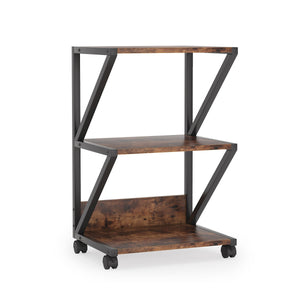
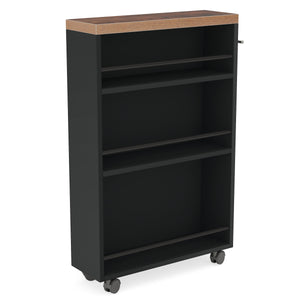
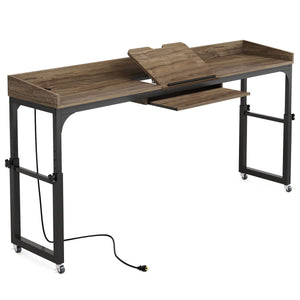
That is where the current Tribesigns lineup fits well. The collection includes compact rolling adjustable desks with features such as lockable casters, a sliding keyboard tray, a wireless charging station, and a drawer option. Those details make sense for small spaces, temporary work zones, and flexible everyday use.
Warranty
Warranty is one of the easiest ways to compare confidence in a product. The Tribesigns adjustable desk product pages I reviewed mention an 18-month quality assurance period, which is useful context when comparing value across brands.
A lower price can still be a smart buy, but the warranty helps show how much support stands behind it.
Final Verdict
For most people building a primary workstation, an electric height-adjustable desk is the better long-term choice. It is easier to use, more practical for frequent transitions, and usually a better match for longer workdays and heavier setups.
A manual height-adjustable desk still makes a lot of sense for the right buyer. If your budget is tighter, your setup is lighter, and you do not expect to adjust height very often, manual can still be a smart purchase.
If you are looking at the current Tribesigns adjustable height standing desks collection specifically, the better framing is not “manual vs. electric replacement.” It is “compact adjustable solution for flexible small-space use.”
Related read:

